Some emails need a response but don't deserve a real one. The invoice confirmation, the "sounds good" thread, the calendar invite follow-up. You know you should reply, but all you have to say is "got it."
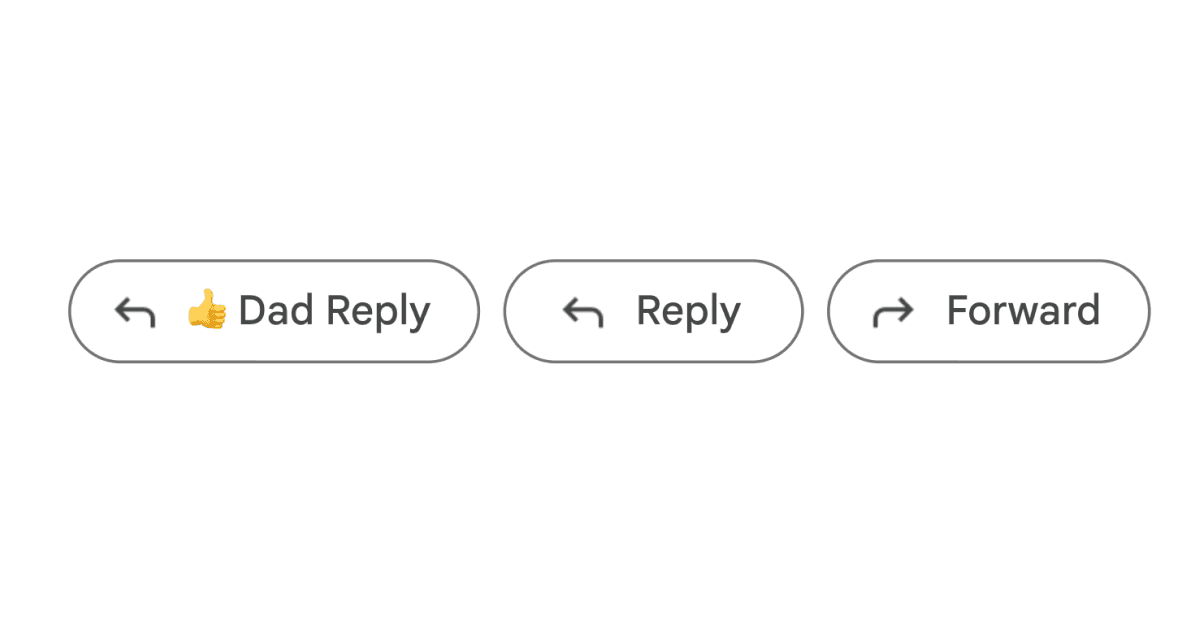
This Drop adds a "Dad Reply" button right next to Reply and Forward at the bottom of every email in Gmail. Click it and it opens a reply with a single thumbs up emoji already typed in. One click, message acknowledged, move on with your life.
The button clones Gmail's native styling so it looks like it belongs there. It finds the reply controls on every email in a thread and places itself right before the Reply button. Works with Gmail's dynamic interface and stays in place as you scroll through conversations.
Good to Know
- The button appears next to Reply and Forward on every email in a thread
- Clones Gmail's native button style so it blends in naturally
- Opens the reply compose with a thumbs up emoji pre-filled
- You still need to hit Send yourself, so no accidental replies
- Works across Gmail's entire interface including conversation view
- No AI needed, no integrations, purely local
Best Use Cases
- Acknowledging invoices, receipts, and automated notifications
- Responding to "sounds good" or "thanks" emails without overthinking it
- Closing out email threads that just need a final nod
- Replying to group emails where you have nothing to add but need to show you read it
- Any email where the socially acceptable response is just a thumbs up