Shopping on marketplaces is often about reading between the pixels: missing parts, worn edges, and subtle mismatches that the seller forgot to mention. Listing descriptions rarely cover everything, and zooming into each photo one by one takes forever when you are browsing dozens of results.
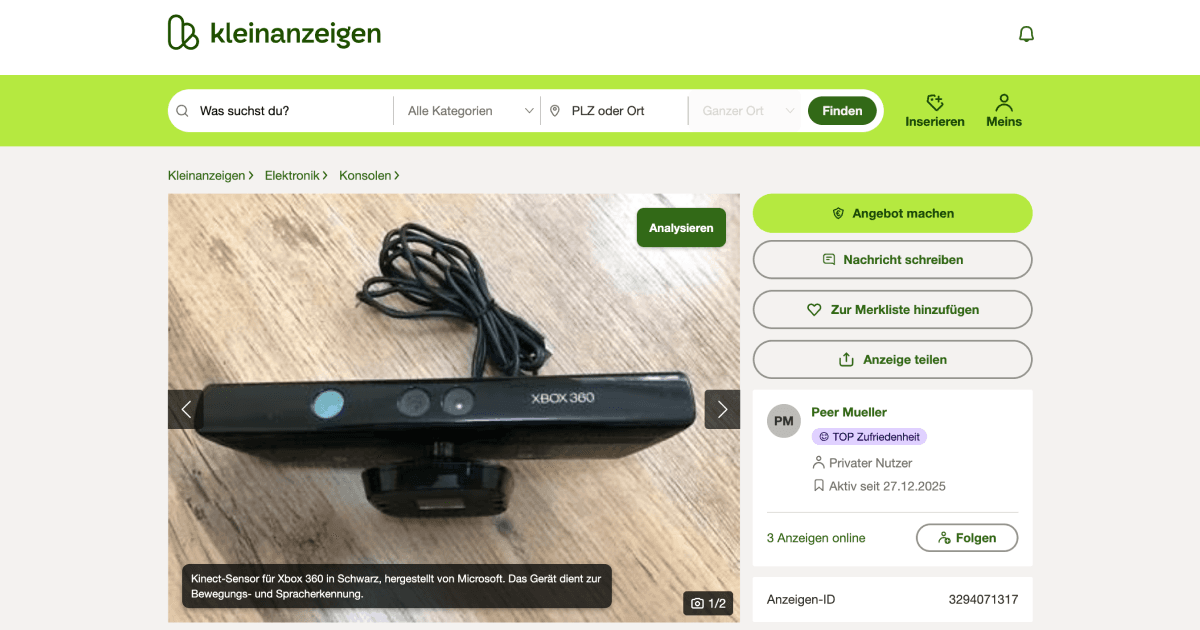
This Drop adds an Analyze button above the image gallery on Kleinanzeigen listings. Click it and you get a clear summary of what is actually visible in the photos, including condition cues, missing accessories, and anything that looks inconsistent with the description.
It is meant for faster triage. You can decide whether to message the seller, ask for specific close-up photos, or move on without spending five minutes squinting at thumbnails. The summary also helps you write better questions when you do reach out, because you already know what to ask about.
Good to Know
- Photo quality varies; always verify with the seller before buying
- Doesn’t require API credits
Best Use Cases
- Faster marketplace browsing
- Spotting missing parts and wear
- Quick comparisons before you buy
- Knowing what to ask the seller next