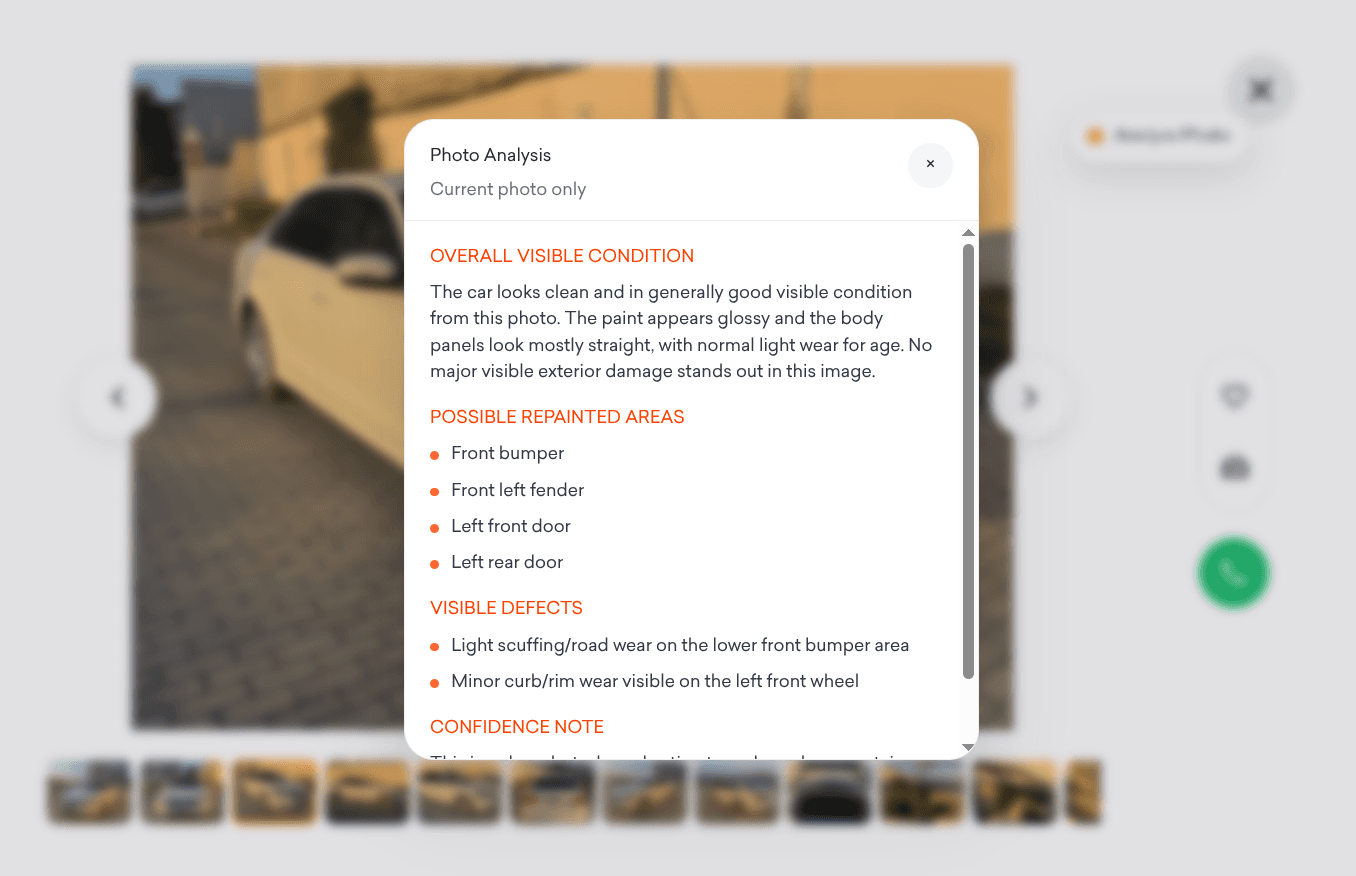
Used car listings always look good in photos, but the details matter. A slightly off color on a panel could mean a repaint. A shadow in the wheel well might be rust. Unless you know exactly what to look for, it is easy to miss things that would be obvious to a mechanic standing next to the car.
This Drop adds a floating "Analyze Photo" button to the myauto.ge car photo viewer. When you are browsing through a listing's images, click the button on any photo and it runs an AI-based analysis of the currently open image. A dismissible popup appears with a condition summary covering visible damage, repaint signs, panel gaps, and overall impressions.
The analysis is based on what is visible in the photo, so it works best with clear, well-lit images. It includes a caution note that results may be uncertain, which is fair since no AI can replace an in-person inspection. But it gives you a better starting point than just trusting the seller's description.
Good to Know
- Floating button appears on the myauto.ge car photo viewer
- Analyzes the currently open photo, not the full listing
- Shows a dismissible popup with condition findings
- Includes a caution that results may be uncertain
- Does not require API credits
Best Use Cases
- Scanning listing photos for damage before contacting a seller
- Spotting repaint or bodywork signs that are easy to miss
- Getting a second opinion on photos that look suspicious
- Narrowing down a list of cars to visit in person
- Learning what to look for in used car photos over time