Airtable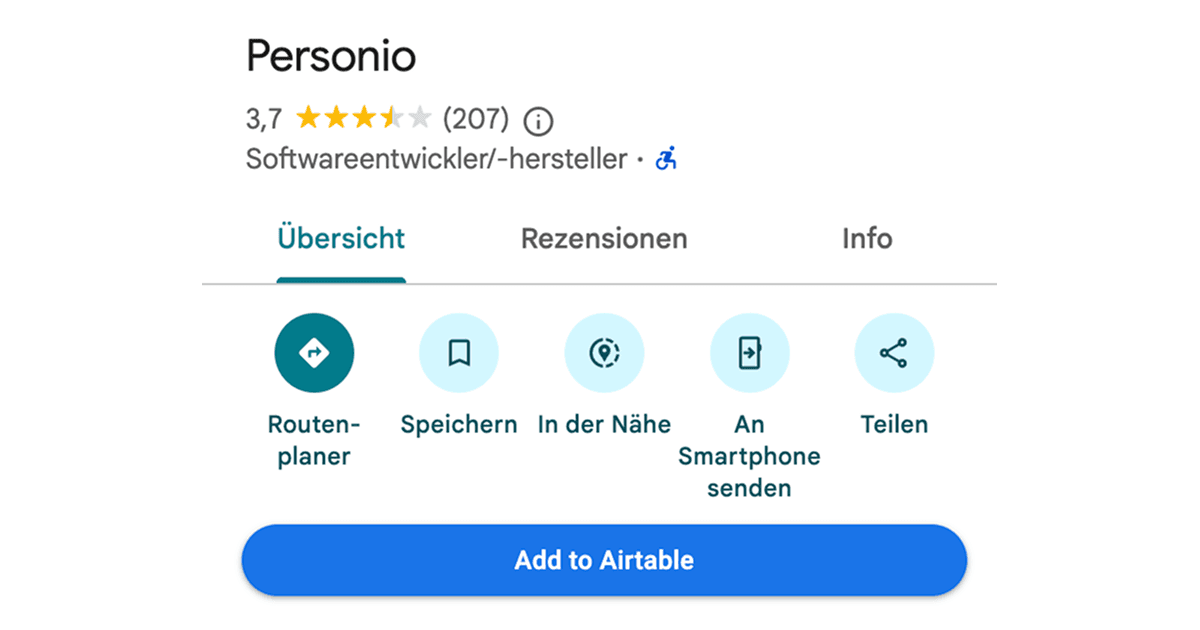
Collecting business information from Google Maps usually means copying details one by one and pasting them into a spreadsheet or database. This Drop in adds a full-width button directly below the action icons on Google Maps business profiles, letting you send all the key details to your Airtable table in a single click.
It saves you from the repetitive copy-paste workflow and keeps your lead database up to date as you browse through local businesses on the map.
It captures the business name, address, Google Maps link, website link, and customer rating, then writes them as a new row in your Airtable table.
Good to Know
- The button is styled to match the Google Maps interface and spans the full width of the profile panel
- Customer rating is saved as a star rating field in Airtable (rounded to a whole number between 1 and 5)
- Doesn't require API credits
- Requires an Airtable integration to be connected in Drop in
Best Use Cases
- Building a local business lead list for sales outreach
- Researching competitors in a specific area
- Collecting vendor or supplier details while scouting locations
- Organizing business contacts for a sales pipeline
- Comparing businesses by rating and location