HubSpot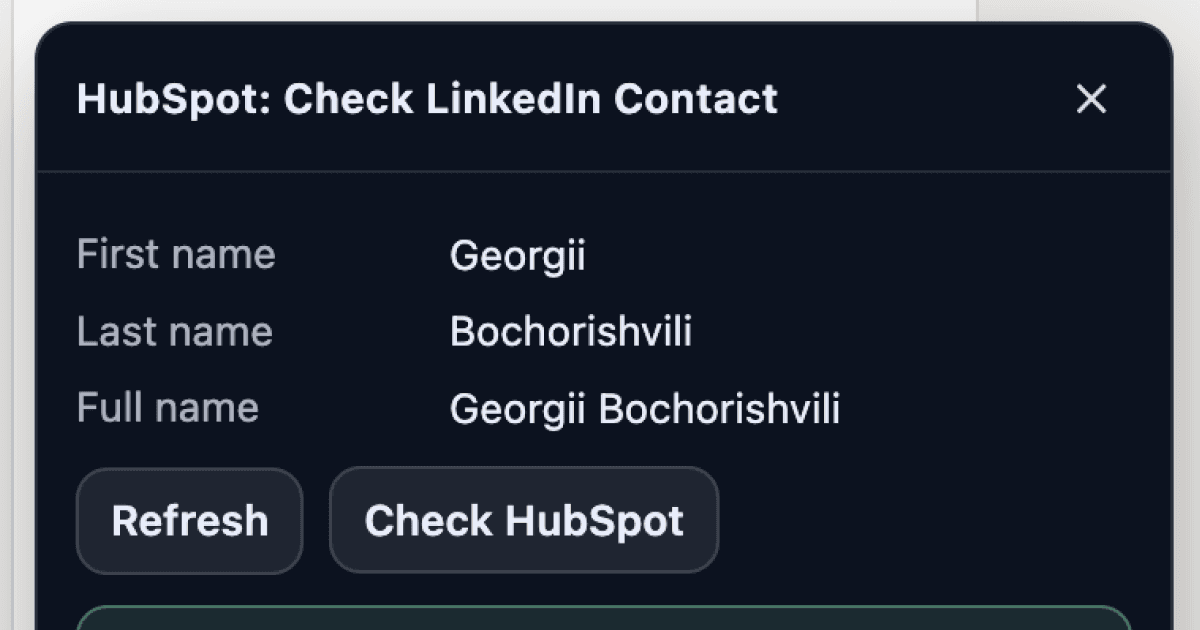
Switching between LinkedIn and HubSpot to check if someone is already in your CRM breaks your workflow and slows down prospecting. This Drop in adds a button to LinkedIn profile pages that instantly checks whether the person exists in your HubSpot contacts and displays their stored information right on the page.
No more copy-pasting names into HubSpot search or opening extra tabs just to confirm if you already have someone in your system.
It looks up the current LinkedIn profile against your HubSpot contacts and shows their details inline, so you know exactly where you stand before reaching out.
Good to Know
- Works on LinkedIn profile pages where a person's name and details are visible
- Displays HubSpot contact information directly on the LinkedIn page if a match is found
- Doesn't require API credits
- Requires a HubSpot integration to be connected in Drop in
Best Use Cases
- Checking if a prospect is already in your CRM before sending a connection request
- Quickly pulling up HubSpot notes and history while browsing LinkedIn
- Avoiding duplicate contact creation in HubSpot
- Reviewing deal status or last interaction before reaching out
- Qualifying leads faster during LinkedIn prospecting sessions