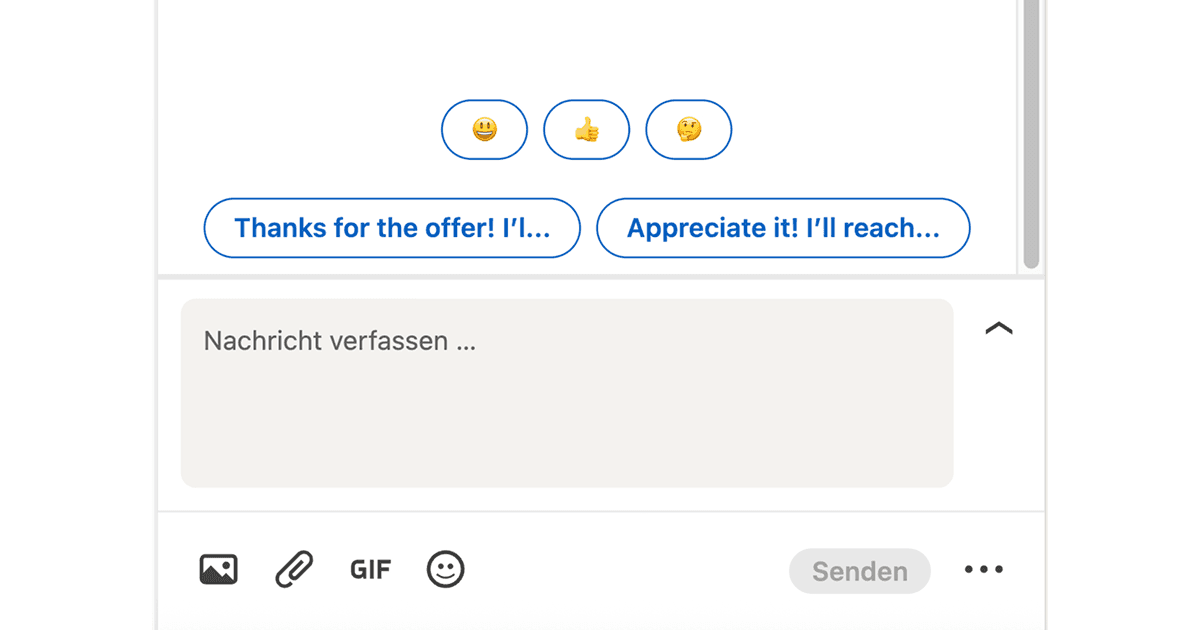
LinkedIn messages pile up fast, especially if you are networking, recruiting, or job hunting. This Drop in generates two short reply suggestions for your current conversation and displays them above the message box so you can respond with a single click.
You stay in control: click a suggestion to insert it, edit the wording if needed, then send. It handles the blank-page problem so you spend less time figuring out what to say and more time actually connecting.
Works best for common replies: thank-yous, scheduling, follow-ups, and quick acknowledgments where speed matters more than creativity.
Good to Know
- Requires API credits
- Suggestions are starting points; always review before sending
- Works best for common replies like scheduling, follow-ups, and acknowledgements
Best Use Cases
- Responding to recruiter messages quickly
- Following up on connection requests
- Acknowledging introductions and referrals
- Keeping networking momentum without burnout