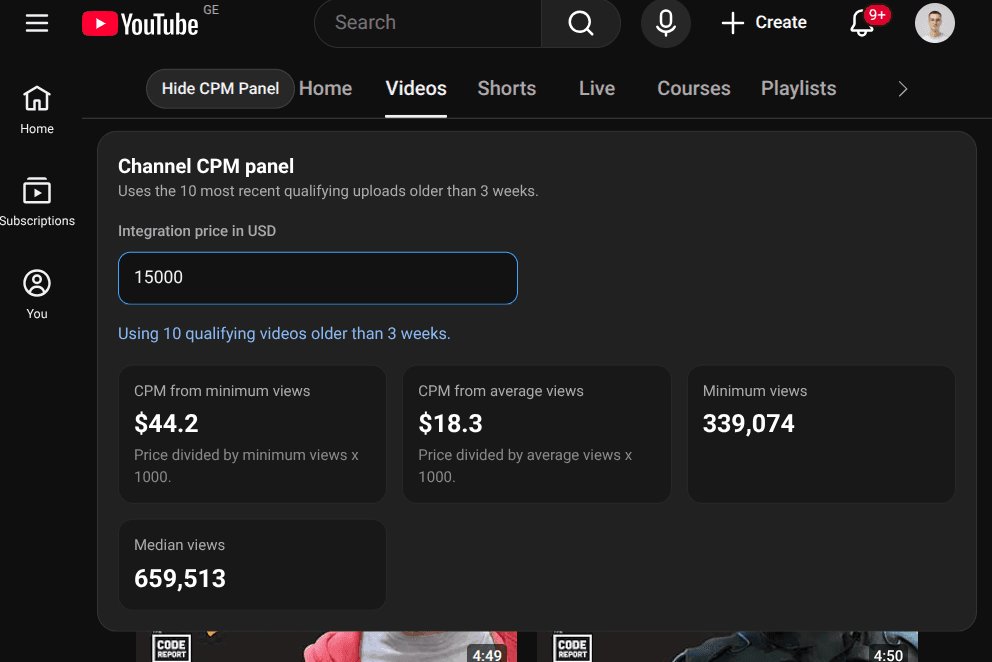
When you are evaluating YouTube channels for sponsorship or ad placements, one of the first things you need is a rough CPM estimate. Normally that means opening a spreadsheet, manually noting view counts from recent videos, averaging them, and running the math. Repeat that for ten channels and the afternoon is gone.
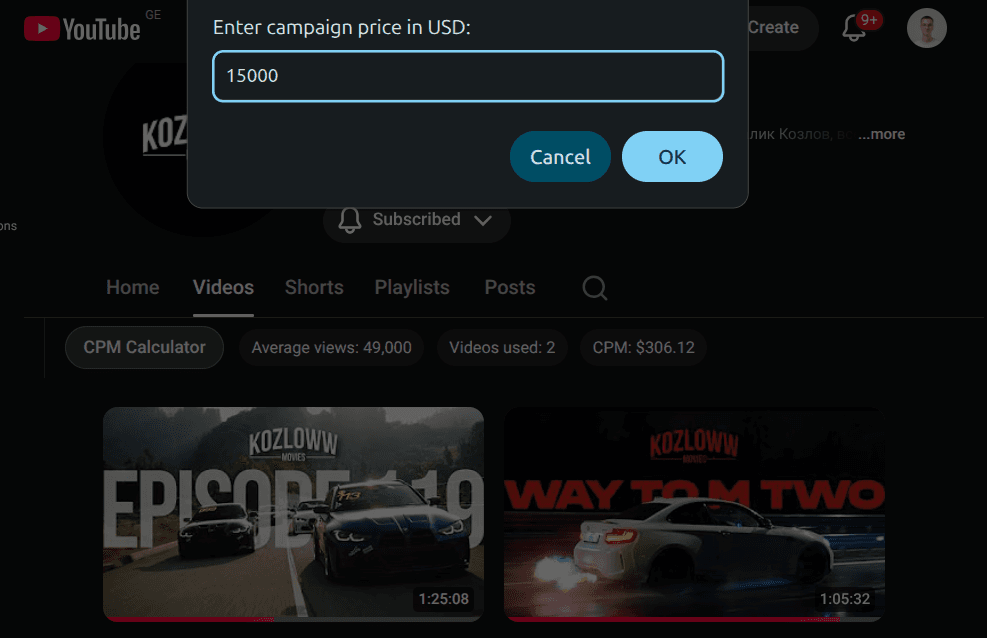
This Drop adds a CPM calculator directly to the YouTube channel Videos tab. It reads the average view count from all currently visible video cards and uses it to estimate what a campaign on that channel might cost. The result appears as compact dark pills next to the channel tabs, showing the average views, how many videos were used in the calculation, and the estimated CPM.
If no readable view counts are found on the page, it shows a clear fallback message instead of guessing. The calculator updates based on what is visible, so scrolling to load more videos can refine the estimate.
Good to Know
- Appears on the YouTube channel Videos tab as compact pills near the channel tabs
- Calculates average views from all currently visible video cards
- Shows average views, video count used, and estimated campaign cost
- Displays a fallback message when no view counts are readable
- Does not require API credits
Best Use Cases
- Quickly estimating sponsorship costs across multiple YouTube channels
- Comparing channels side by side during influencer outreach
- Getting a rough CPM baseline before reaching out to a creator
- Screening channels during media buying research
- Saving time on manual view count calculations